Wake engine
Sensitivity 0.05
Instant “Pylo” detection
Calibrated to your voice so she wakes on cue without cloud audio streaming.Wakes to your voice. Audio stays on your PC.

Calibrated to your voice so she wakes on cue without cloud audio streaming.Wakes to your voice. Audio stays on your PC.
“Pylo, open Figma and check today’s scheduled tasks.”“Pylo, open Figma.”
Zero memorized syntax. Speak like you talk to a person and she maps the steps.Speak naturally. She maps the steps.
Every command passes through your app permissions before anything touches your PC.Your permissions are checked before every action.
Supports all languages, including multiple local languages from any country.Speak any language, including local dialects.
Ask Pylo to open the app you need and use its controls. Keep your hands on your work while she handles the clicks.Open apps and use their controls by voice.
Tell Pylo what belongs where. Move files and work through folder tasks with a simple request.Move files and tidy folders with one request.
Teach Pylo your usual setup, then run it with one phrase. Open the apps and files you use together in an ordered routine.One phrase opens your usual apps and files.
Set a one-off task or a daily, weekday or weekly routine. Pylo runs your saved instructions at the time you choose.Schedule tasks once or on a regular routine.
Tell Pylo who to message and what to say. She prepares your WhatsApp message and asks before sending.Compose WhatsApp messages by voice. Confirm before sending.
Return to an ongoing task with its earlier context. Pylo keeps conversations and task memories on your PC so you can continue.Continue a task with its earlier context.
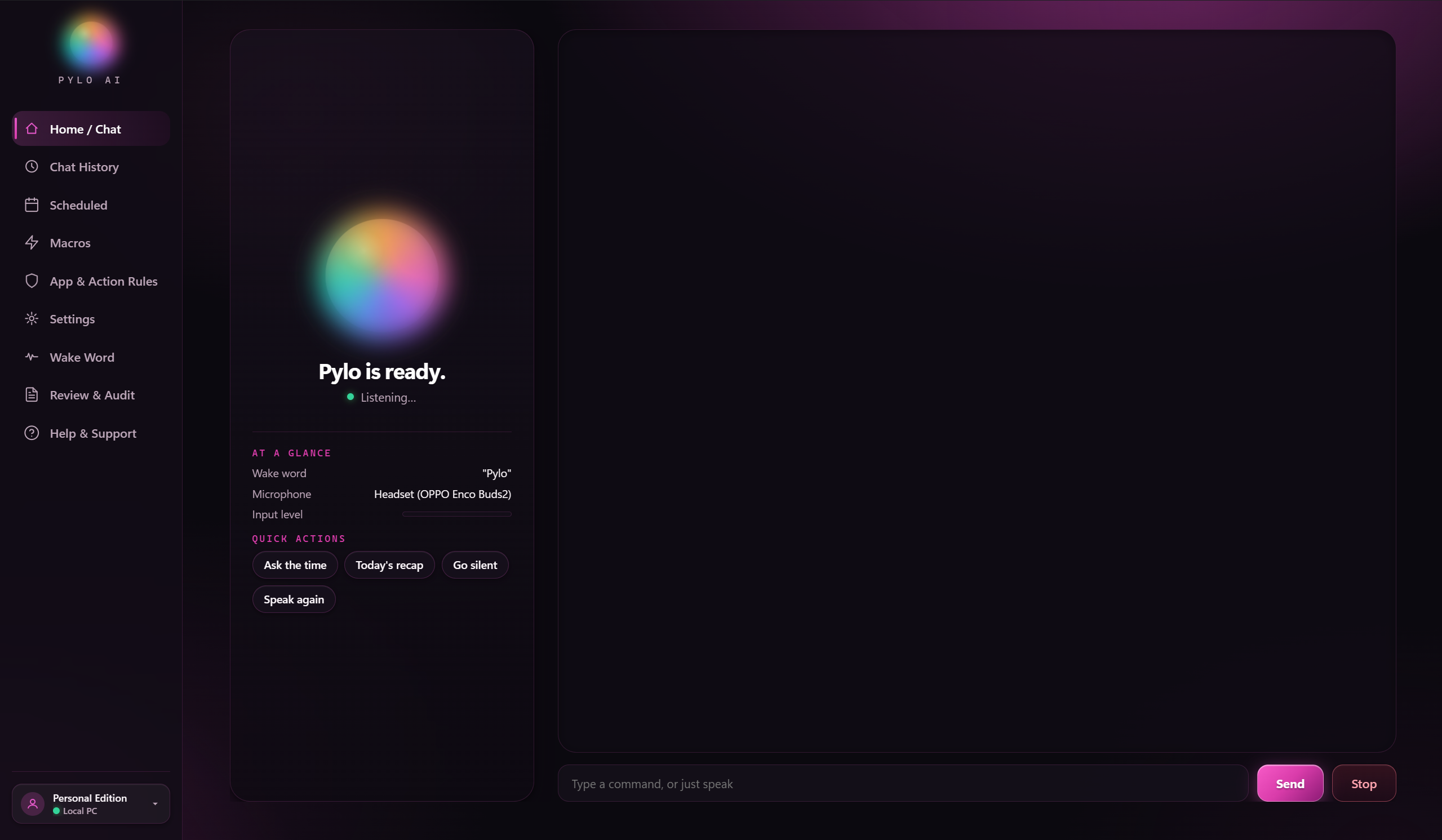
Pylo AI is your personal AI assistant for Windows, designed to turn your words into actions. Talk to her or type naturally, and she can open and control applications, work with files, manage repetitive tasks, run macros, and handle multi-step workflows across your desktop. She understands what's happening on your screen, uses the available controls to get things done. She remembers the context of your conversations and ongoing tasks, so you can pick up where you left off without explaining everything again. Her extensive memory database is stored locally on your PC, keeping your long-term knowledge and memories available offline. From everyday PC operations to complex workflows, Pylo AI helps you get things done simply by asking.
You speak. She understands. Your PC gets things done.
“Pylo, open my project and get my workspace ready.”
She checks your permissions and asks before sensitive actions.
Apps open, files move and your usual routine gets done.
Review the result, or return later with the earlier context ready.
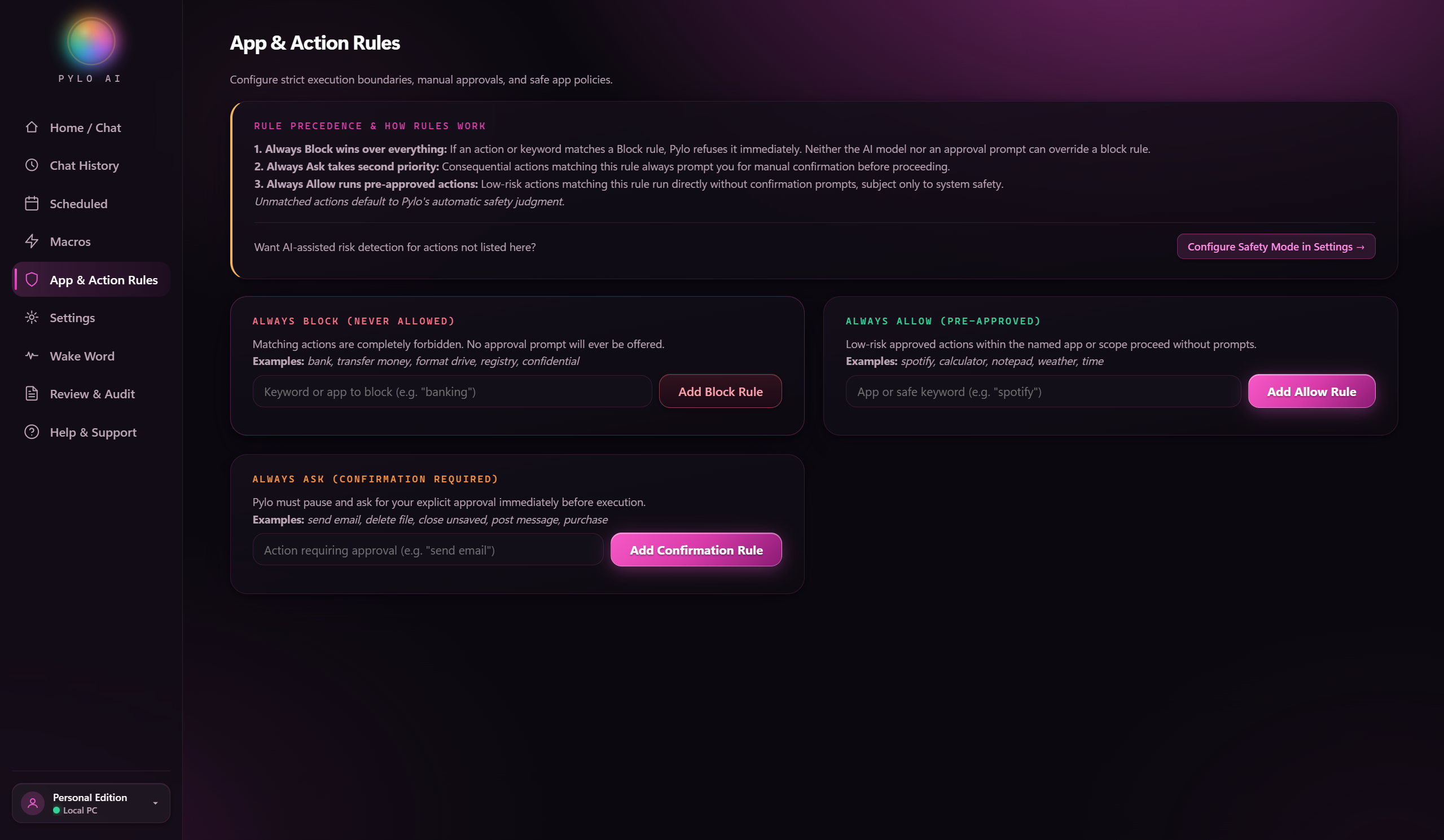
Set clear boundaries before Pylo touches any app or file. Precedence works top-down so nothing slips past your rules:
Pylo AI
Seven days with all of Pylo AI. Pick a plan when you're ready.
7 Days. Everything Included.
Unlimited AI Requests
*AI usage is subject to your Google AI Studio API quota, model availability, and fair-use protections.
Experience everything Pylo AI currently offers with unlimited AI requests during your 7-day free trial. No payment details required to get started.
Full access · All current features unlocked
200 AI Requests / Month
Core Pylo AI assistant functionality and essential automation for your daily desktop flow. Ideal for opening apps, quick answers, scheduled reminders, and safe rule-checked commands.
Best for daily desktop control & routines
500 AI Requests / Month
Everything in Plus, with additional advanced capabilities for heavy desktop workflows. Chain multi-step macros by voice, tune wake-word sensitivity, and search Memory & History.
Best for power users & multi-step workflows
Everything in Pylo AI. Unlimited Usage.
Unlimited AI requests
*Unlimited AI requests. Google AI Studio API quota, model availability, and service limits still apply when using your own Google AI Studio key.
Everything currently included in Pylo AI, including all features available in Plus and Pro, with unlimited AI requests.
Unrestricted Pylo AI usage · Eligible future Max features
Your free trial gives you access to everything Pylo AI currently offers. As Pylo AI evolves, new premium features may be introduced exclusively for Max subscribers.
Pylo AI connects to Google Gemini using your own Google AI Studio API key. Any Google API charges are billed by Google, separately from your Pylo AI plan.
Already have an account? Manage subscription & request meter →
Swipe or scroll sideways to compare all plans. Feature names stay visible.
| Feature | Free Trial | Plus | Pro | Max |
|---|---|---|---|---|
| Price | ₹0 | ₹199/month | ₹399/month | ₹499/month |
| Duration | 7 days | 30 days (manual) | 30 days (manual) | 30 days (manual) |
| Pylo AI requests | Unlimited during trial | 200/month | 500/month | Unlimited |
| Google Gemini API key | Required | Required | Required | Required |
| Google API charges included | No | No | No | No |
| Current Pylo AI features | All | Core features | Expanded features | Everything |
| Future Max-exclusive features | Not guaranteed | No | No | Included according to plan policy |
| Visibility | Public | Public | Public | Public |
You get 7 days to experience everything Pylo AI currently offers, including its currently available premium features. The trial includes unlimited Pylo AI requests, subject to Google AI Studio API quota, model availability, and fair-use protections.
The Free Trial includes all features currently available when you start your trial. As Pylo AI evolves, new premium features may be introduced exclusively for Max subscribers.
Max includes everything currently available in Pylo AI, unlimited AI requests, and eligible future premium features designated for Max. Google API quota and service limits still apply when using your own Google AI Studio key.
No. Max provides unlimited Pylo AI software requests. Google independently controls your API quota, model access, and service availability.
Say her name, speak naturally in any language, and let her handle apps, files, and workflows, with private memory stored encrypted on your PC.
“Pylo, open Figma, start recording, and set Slack to focus mode.”
Workspace ready: 3 actions completed.